 SellerAI
 SellerCartA store of your own
Amazon Product Description in 2026: Rules, a Fact-First Method and a Before-and-After
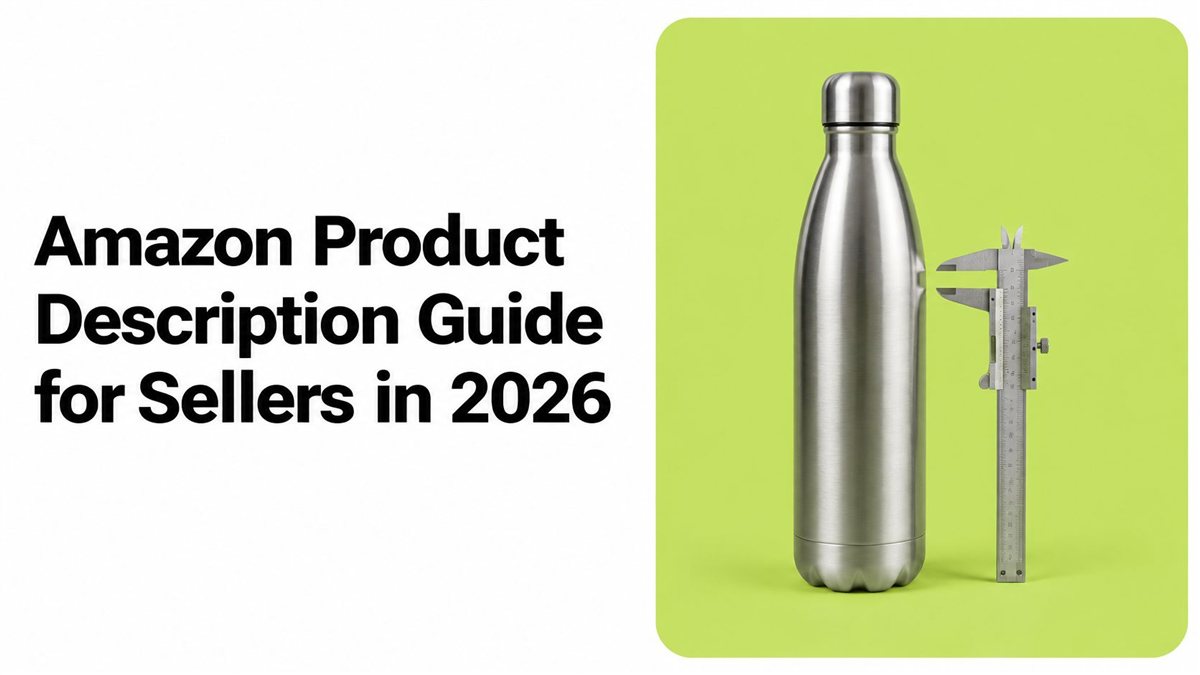
Most listing advice says to pack an Amazon product description with keywords and sell harder. Extra adjectives don't stop a return. Treat the description as a returns-control field: put buyer search terms into sentences that state dimensions, compatibility, included parts, care and limits. Check every AI-written claim against a source before you publish.
| Write from | Supplier sheet, packaging, technical docs |
| Follow | Your category's style guide in Seller Central |
| Cut | Superlatives, HTML, URLs, claims you can't prove |
| Measure | Unit-session percentage and return reasons |
Amazon's rules for each field
For non-media products, the Amazon product detail page rules set a 75-character title maximum, including spaces. Item highlights can hold up to 125 characters, including spaces. Your category style guide may be stricter, so check it first.
| Field | Limit or rule | Notes |
|---|---|---|
| Title | Up to 75 characters with spaces | Most non-media categories |
| Item highlights | Up to 125 characters with spaces | Attributes that don't fit the title |
| Bullet points | At least three recommended | Length varies by product type |
| Description | No HTML, JavaScript, URLs, contact details, price or availability | No promo language, testimonials or other products |
| Capitalization | No all-caps | Decorative caps are restricted |
| Repeated words | A word no more than twice in a title | Articles, conjunctions, prepositions exempt |
| Symbols, emojis | Not at the start of words | Titles and copy |
Amazon's Industrial and Scientific style guide recommends a description of up to 2,000 characters, with brand, series and model where they apply. Limits differ by category, but the split of jobs is the same: the title identifies the product, highlights carry attributes that don't fit, bullets explain use, and the description adds context.
Practical rule: if you can't point to a specification, leave the claim out. This holds in every format. Accuracy checks for AI ad videos matter for the same reason: polished copy still fails buyers when its claims are untrue.
Five steps from verified facts
Write from verified facts in a fixed order, not from memory or a sales pitch. Amazon's listing rules require claims to be accurate and provable. For health, safety or performance claims, Amazon may ask for evidence and can remove a listing you can't back up.
- Find the category guide in Seller Central. A kitchen tool and a supplement don't share the same rules. Copy pasted across categories is the usual slip.
- Pull facts from packaging, the supplier sheet and technical docs. Dimensions, weight, materials, compatibility, included parts, care, warranty. Skip the supplier's marketing blurb.
- Split specs from slogans. "1 L capacity" and "6 mm wall" stay. "Premium feel" goes.
- Write a benefit only when a spec supports it. "Keeps water hot for hours" needs a test or a documented rating. Otherwise drop it.
- Scan before you publish. Remove "best," HTML, URLs, contact details and repeated words. Flag any line you can't prove.
A finished description covers the main features, intended use, dimensions, care and warranty, in full sentences a buyer can read in under a minute.
Before and after: a weak listing rewritten
Example, made-up product: the Ember Pour Kettle, a 1-liter gooseneck pour-over kettle. The weak version has an all-caps title that repeats "kettle" and adds "BEST," an empty highlights field, one bullet saying "The best kettle ever made," and a description that reads "Amazing for coffee lovers, buy now."
Amazon's listing-quality guidance says titles, descriptions and bullets should help a shopper understand the product. All-caps titles are prohibited, and a word generally can't appear more than twice. The detail page is shared across offers, so the copy should describe the product, not one seller's promotion.
| Field | Before | After |
|---|---|---|
| Title | KETTLE BEST PourOver Kettle Gooseneck Coffee Tea Pot Gift | Ember Pour Kettle, 1 L Gooseneck Stainless Steel |
| Highlights | Empty | Narrow gooseneck spout for controlled pours; stainless steel body |
| Bullets | The best kettle ever made! | Capacity, spout, body material, lid and care notes from the spec sheet |
| Description | Amazing for coffee lovers. Buy now. | Dimensions, weight, materials, what's included, care, warranty confirmed by the supplier |
| Claims | Best kettle, heats fast | Only verified specs, such as capacity |
The new title drops the caps, the repeat and the superlative, and leads with product and capacity. "Heats fast" is gone because nobody tested it. Every sentence in the After column should match a line in the supplier documents.
Put search terms where they prevent returns
Buyer words belong in sentences that also answer the questions behind returns.
- Pull phrases from Amazon search autocomplete, reviews and Q&A.
- Map each phrase to size, material, compatibility, included parts, care, setup or a performance limit.
- Keep identity plus one or two attributes in the title.
- Put scannable specs in the bullets.
- Use the description for brand, model name and number, a short summary of the bullets, who it fits, dimensions, what's in the box, care, warranty and what the product doesn't do.
Say a review of the Ember Pour Kettle complains the spout is too wide. Write "gooseneck spout for a slow pour" only if the supplier sheet shows a gooseneck, and add the spout width in millimeters to the description.
Don't repeat the same keyword in every field. Backend fields are a separate job, covered in Amazon backend keywords. If a buyer question has no spec behind it, leave the claim out or get the spec first.
Check every AI draft before you publish
An AI draft is a fast first pass. You stay responsible for every factual claim.
Amazon's listing AI post says sellers can generate content from a short description, image or URL, and that sellers accepted suggested attributes nearly 80% of the time with minimal edits. Amazon also says you must review that content for accuracy, completeness and policy compliance. One wrong spec can repeat across every variation.
| Claim type | Check against | Who approves |
|---|---|---|
| Dimensions, weight | Spec sheet and packaging | You, after a spot check |
| Compatibility | Manufacturer model list | You, per model or variation |
| Materials, certifications | Certificates and packaging | You, with documents on file |
| Safety or health | Test reports | You, with expert review if needed |
| Performance | Your own test or a documented rating | You, only if tested |
| Variation details | Variation sheet, item by item | You, for each variation |
| Formatting, summaries | Facts you already approved | Automate, then review |
Formatting, summaries and rewrites of approved facts are the low-risk jobs. Specs, compatibility, materials and safety claims are high-risk. If you already draft in chat, start with ChatGPT for Amazon sellers.
Measure the change and know its limits
Start with Seller Central data, which is free, and judge each copy change against your own baseline.
| Source | Use it for |
|---|---|
| Business Reports | Sessions and unit-session percentage by listing |
| Returns and customer messages | Recurring questions and return reasons |
| Reviews and Q&A | Buyer questions and the words buyers use |
| Search autocomplete | Buyer phrasing for keywords |
Paid tools like Helium 10 and Jungle Scout help with keyword and product research. Neither is a source of product facts.
Marknology's listing guide reports average conversion from roughly 3–6% for products above $100 to 12–15% for consumables, so there's no universal "good" rate. Use your own before-and-after numbers.
- Record a baseline for a set period: sessions, unit-session percentage, return rate and customer-service contacts.
- Change one thing, such as compatibility wording, a missing dimension or the order of use cases.
- Compare a later period with similar traffic.
- Split results by marketplace, device, traffic source and price if volume allows.
Clearer copy can cut returns caused by wrong size, missing parts or bad compatibility expectations. It can't fix a weak product, a high price, poor photos, low reviews, slow shipping or a suppression for an unsupported claim. One strong week is noise. If returns stay high after the facts are clear, check the product, packaging and supplier before you rewrite again. Broader levers are in how to increase sales on Amazon.
Quick answers
How long should an Amazon product description be? There's no single length for every category. Fit the useful facts within your category's limits and cut sentences that don't help buyers decide.
Do I still need bullets if the description is complete? Yes. Bullets make key decision points easy to scan; the description gives those facts context.
Can I use AI to write one? Yes, but verify every factual claim against a source before publishing. A draft is not a finished listing.
Selling on other channels too? Read about an AI agent for eBay and AI agents for Shopify. Checkout optimization for candle shops covers a different stage of the buyer journey.
How SellerAI helps
SellerClaw by SellerAI connects to your Amazon account through Amazon's own authorization and works inside your own Claude or ChatGPT, or as an agent in the SellerClaw web app and Telegram. For Amazon listings it drafts and rewrites titles, bullets and descriptions from the product facts you give it; you review the text and paste it into Seller Central yourself. It doesn't edit Amazon product detail pages or create new catalog products. On eBay and Shopify it can update listings directly once you approve. You choose how far it goes: suggestions only, each change approved one by one, or work within rules you set. Supported stores are listed on connectors.
Example request: "Rewrite the bullets and description for my 1 L pour-over kettle using only the specs in my supplier sheet, and flag any claim you can't back up."
Pick one listing, check its description line by line against the supplier sheet and fix what doesn't match. Want drafts for the rest of your catalog? Start free with SellerClaw.